Are Cheap Mechanical Keyboards Worth It for College Students?
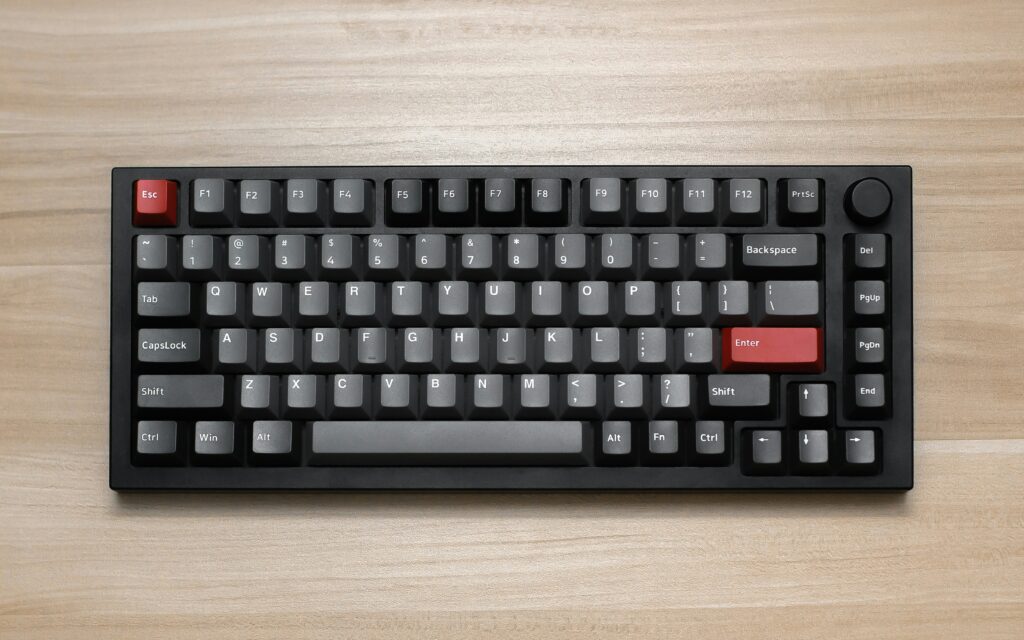
Let’s be real for a second: your laptop keyboard sucks. The flat, squishy keys on a budget Chromebook or an entry-level plastic chassis might get you through a 2-minute email, but typing a 10-page research paper on them feels like poking soggy cardboard.
Enter the budget mechanical keyboard. Promising satisfying clicks, long-lasting durability, and faster typing speeds for $35 to $50, these budget clackers claim to bring high-end desk upgrades to students living on an instant-noodle budget.
But can a cheap mechanical board actually hold up under a semester of heavy typing, or are you just buying loud noise and cheap RGB lights? We tested the budget tier to find out.
VERDICT: High ROI Upgrade for Typing Speed & Wrist Comfort
PRICE RANGE: $35 – $55 (Student Budget Friendly)
1. The Good: Why You Should Ditch the Laptop Keyboard
Switching from a mushy membrane keyboard to mechanical switches isn’t just a flexing right for PC enthusiasts—it changes how you work daily:
- Typing Stamina: Mechanical switches give tactile feedback before the key bottoms out. You don’t have to slam your fingers down, which reduces hand fatigue during 3 AM paper crunch sessions.
- Typing Speed & Accuracy: Most users see a 5–10 WPM (words per minute) bump within a week of adjusting to mechanical keycaps simply because the keys bounce back faster.
- Built to Last: Membrane keys degrade over 2–3 million keystrokes. Cheap mechanical switches (like Outemu or Keychron K-Pro) are rated for 50 million clicks.
2. The Catch: Budget Compromises to Watch Out For
You can’t pay $40 for a keyboard and expect a custom $300 custom typing feel. Here is where cheap boards cut corners:
Loud Switches Will Annoy Your Roommate
Cheap boards often ship with Blue Clicky Switches. They feel great to type on, but sound like a machine gun in a quiet library or a shared dorm room.
Bro Tip: Stick to Red (Linear) or Brown (Tactile) switches if you plan to type around other humans without getting kicked out.
Hollow Plastic Rattles
Cheap frames lack sound-dampening foam. Spacebars and Enter keys can echo with a high-pitched metallic ping if the stabilizers aren’t lubed from the factory.
SWITCH GUIDE: Red = Silent & Smooth | Brown = Quiet Bump | Blue = Extremely Loud Click
3. The Verdict: 2 Budget Boards Worth Your Cash
If you’re ready to make the switch without destroying your bank balance, here are the only two boards under $55 worth buying:
- The Heavy-Duty Tank: Redragon K552 Kumara (~$35–$40) — Metal-reinforced top plate, built like a brick, and handles severe campus travel abuse inside a backpack.
- The Smart Enthusiast Pick: Keychron C1 Pro (~$50–$55) — Offers pre-lubed smooth switches out of the box, clean retro aesthetics, and hot-swap sockets so you can upgrade individual switches later.
The Brocessor Verdict
Spending $40 on a decent mechanical keyboard is one of the highest ROI hardware upgrades a student can make. It transforms typing from an annoying chore into a satisfying experience, outlasts your laptop, and keeps your wrists from fatiguing.