The $40 Desk Setup Upgrade: 3 Budget Accessories That Boost Focus & Posture
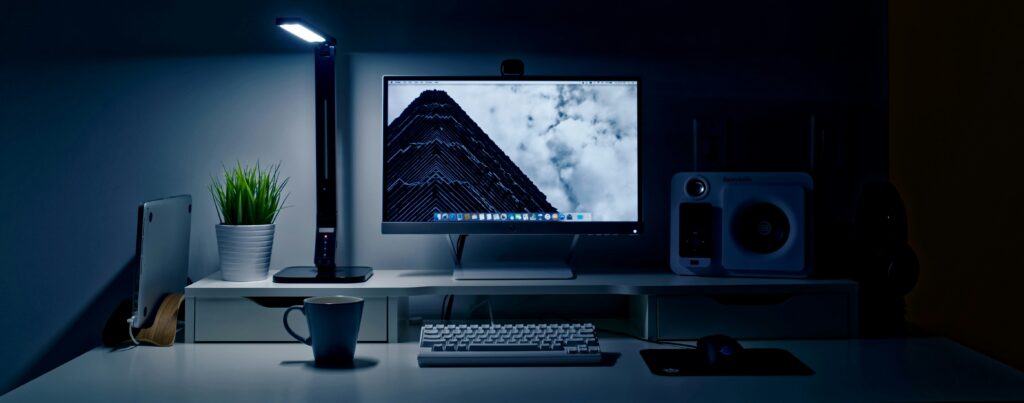
Most college students spend hundreds of dollars chasing laptop specs, but completely ignore the desk environment where they actually sit for 6+ hours a day. Slouching over a flat laptop on a dorm desk isn’t just uncomfortable—it causes neck strain, lowers typing productivity, and makes long study sessions feel like a drag.
You don’t need a $1,000 motorized standing desk or an ergonomic designer chair to fix your posture. With just $40 to $50, three targeted budget accessories can elevate your laptop screen, clear off desk clutter, and keep you focused during late-night study crunches.
Here is the Brocessor breakdown of the three highest-ROI desk setup upgrades under $40.
VERDICT: Essential Ergonomic & Workspace Productivity Suite
TOTAL COST: ~$40 – $50 (High-ROI Desk Upgrade)
1. Foldable Aluminum Laptop Stand (~$12–$15)
Looking down at a laptop screen resting flat on a table forces your neck into a 45-degree angle, placing up to 50 lbs of extra strain on your spinal column.
- The Posture Fix: Elevates your laptop screen to eye level, allowing you to sit upright with your shoulders back.
- Thermal Cooling Boost: Lifting the bottom chassis off the desk allows fresh air to reach your laptop’s intake vents, dropping CPU temperatures by up to 5°C to 8°C under load.
- Portability: Look for a collapsible aluminum mesh or skeletal stand that folds flat to fit into your backpack alongside your textbooks.
2. Oversized Felt or Microfiber Desk Pad (~$10–$14)
A plain dorm wood desk collects grime, reflects harsh overhead light, and offers zero cushioning for your wrists while typing.
WORKSPACE UPGRADE: Smooth Tracking Surface + Noise Dampening + Wrist Comfort
- Acoustic Dampening: Placing your mechanical or laptop keyboard on top of a thick 3mm desk mat absorbs key-press vibrations, reducing hollow desk echoes.
- Seamless Mouse Tracking: Eliminates the need for tiny, annoying mousepads that slip around while gaming or working on assignments.
3. Monitor-Mounted LED Screenbar or USB Desk Light (~$15–$20)
Studying in the dark with only a harsh laptop screen glowing in your face causes extreme eye fatigue, headaches, and circadian rhythm disruption.
- Zero Screen Glare: Unlike traditional table lamps that bounce light straight into your eyes or off the screen, a monitor screenbar casts asymmetrical light straight down onto your paper notes and desk.
- Saves Physical Space: Clips directly to the top of an external monitor or laptop screen stand, freeing up precious desk space for notebooks and coffee mugs.
Bro Tip: Pair an elevated laptop stand with a cheap external keyboard and mouse—raising your screen without an external keyboard forces you to type at an awkward vertical angle!
The Brocessor Verdict
You don’t need a massive budget to create a clean, comfortable, and focused workspace. For less than the price of a single textbook, adding a laptop stand, a wide desk mat, and proper task lighting will transform your productivity and keep your posture intact throughout the semester.